
Download Voclip – AI-Powered Vocabulary Learning Tool for All Languages
Discover Voclip, a revolutionary AI-powered web application designed to transform how you learn and retain new vocabulary across multiple languages. Whether you're mastering English, Spanish, Chinese, Japanese, French, or any other language, Voclip simplifies the process with intelligent flashcards, real-time explanations, and spaced repetition. This free, secure, and user-friendly tool helps learners of all levels—students, travelers, professionals, and language enthusiasts—build a robust vocabulary with confidence.
With support for over 50 languages, Voclip goes beyond basic translation, offering contextual examples, pronunciation guides, and personalized learning paths powered by artificial intelligence. No more memorizing random words—Voclip helps you understand and use them naturally. The platform is accessible via Windows, Mac, Android, and iOS, making it easy to learn anytime, anywhere.
With automatic updates and a clean interface, Voclip ensures a seamless experience. Download Voclip today and take your language learning journey to the next level.
Why Voclip Stands Out: Key Features That Boost Language Mastery
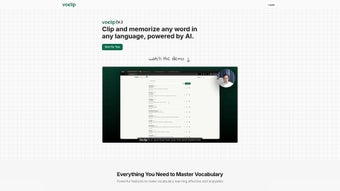
What sets Voclip apart from traditional flashcard apps is its deep integration of artificial intelligence and smart learning science. At its core, Voclip allows users to clip words from websites, articles, videos, or even social media, instantly turning them into interactive flashcards. This feature is especially useful for learners who encounter new vocabulary in real-world contexts—whether reading an online article, watching a foreign film, or browsing a blog. Once clipped, Voclip automatically pulls in detailed definitions, synonyms, example sentences, and even audio pronunciation, all tailored to the user’s native language and learning level.
One of the most powerful aspects of Voclip is its use of spaced repetition algorithms, a scientifically proven method for long-term memory retention. The app intelligently schedules when you should review each flashcard based on your performance, ensuring you don’t forget words you’ve learned. Over time, this leads to significant improvements in recall and fluency. Additionally, Voclip’s AI doesn’t just translate words—it explains their cultural and contextual usage, helping users understand how and when to use a word appropriately in conversation.
Collaboration is another standout feature. Users can share their flashcards with friends, study groups, or language communities, creating a dynamic, social learning experience. Whether you’re preparing for an exam, planning a trip, or simply exploring a new language, Voclip adapts to your goals. The app also supports custom decks, image-based flashcards, and even handwriting recognition for languages like Chinese and Japanese, making it one of the most versatile vocabulary tools available. With regular updates and new language additions, Voclip continues to evolve, offering a future-proof solution for lifelong learners.
How to Use Voclip: Simple Installation & Step-by-Step Guide
Getting started with Voclip is quick and hassle-free. Since it’s a web-based application, there’s no traditional installation required. Simply visit the official website and sign up for a free account using your email or social media profile. Once registered, you’ll be directed to your personalized dashboard, where you can begin creating flashcards immediately.
To start learning, use the browser extension—available for Chrome, Firefox, and Edge—to clip any word from a webpage. Just highlight the word, click the Voclip icon, and select “Add to Flashcard.” The app will automatically generate a card with a definition, example sentence, audio pronunciation, and related vocabulary. You can customize the card by adding notes, images, or tags to make it more memorable.
For mobile users, download the Voclip app for Android and iOS from the Google Play Store or Apple App Store. The mobile version syncs seamlessly with your web account, so your progress is always up to date. You can review flashcards on the go, listen to audio clips, and even record your own pronunciation to compare with native speakers. The app also supports offline mode, allowing you to study without an internet connection—perfect for travel or commutes.
Each day, Voclip sends a personalized review schedule based on your learning pace and performance. You can set daily goals, track your progress through visual dashboards, and even earn badges for consistency. With intuitive navigation and minimal learning curve, Voclip is designed for both beginners and advanced learners. Whether you’re brushing up on Spanish verbs or mastering kanji characters, Voclip makes the process engaging and efficient.
Compatibility & System Requirements for Voclip
Voclip is built to work across all major platforms, ensuring that learners can access their vocabulary decks from any device. The core platform is a web application, meaning it runs directly in your browser—no downloads or installations needed for desktop use. It supports Windows 10 and later, macOS 10.15 and above, and all modern browsers, including Chrome, Firefox, Safari, and Edge.
For mobile users, Voclip offers dedicated apps for Android (version 6.0 and up) and iOS (iOS 12 and later). These apps are optimized for touchscreens, offer push notifications for daily reviews, and support offline study sessions. The mobile interface is clean and responsive, with swipe gestures for quick card flipping and voice input for pronunciation practice.
Additionally, Voclip integrates with popular learning tools like Google Drive, Dropbox, and Notion, allowing you to import or export flashcard decks easily. The platform also supports screen reader compatibility and keyboard navigation, making it accessible for users with visual impairments. All data is encrypted in transit and at rest, ensuring your personal information and flashcards remain secure. With automatic updates, you always have access to the latest features, bug fixes, and language expansions—no manual updates required.
Pros and Cons of Using Voclip for Language Learning
Pros
- AI-Powered Learning – Real-time definitions, contextual examples, and pronunciation guides enhance understanding.
- Spaced Repetition System – Scientifically proven method improves long-term retention and reduces forgetting.
- Multi-Platform Access – Works seamlessly on Windows, Mac, Android, and iOS with real-time sync.
- Flashcard Sharing – Collaborate with friends or join public decks to learn from others.
- Free to Use – The core features are completely free, with optional premium upgrades for advanced tools.
- Supports Over 50 Languages – From common languages like French and German to less common ones like Swahili and Korean.
Cons
- Internet Required for Full Features – Offline mode is limited; some AI functions need a connection.
- Learning Curve for Advanced Features – New users may need time to master customization options.
- Occasional AI Errors – Rarely, the AI may misinterpret context or provide inaccurate examples.
- Mobile App Ads (Free Version) – Free users see occasional ads, though they don’t disrupt learning.
- Custom Deck Limitations – Free tier has a cap on the number of flashcards per deck.
Frequently Asked Questions (FAQ)
Is Voclip free to download and use?
Yes, Voclip offers a fully functional free version with access to core features like flashcard creation, spaced repetition, and AI explanations. Premium features (like unlimited decks and advanced analytics) are available via subscription.
Can I use Voclip on my mobile device?
Yes, Voclip has native apps for both Android and iOS. Download from the Google Play Store or Apple App Store for on-the-go learning.
Does Voclip support languages other than English and Spanish?
Absolutely. Voclip supports over 50 languages, including Chinese, Japanese, Arabic, Russian, Portuguese, and many more. It’s ideal for learners of both widely spoken and niche languages.
How does the spaced repetition system work?
Voclip uses a dynamic algorithm that adjusts review intervals based on your recall performance. Words you struggle with are shown more frequently, while mastered words are reviewed less often—optimizing memory retention over time.
Can I share my flashcards with others?
Yes. You can generate shareable links or join public flashcard communities. This fosters collaborative learning and helps you discover new vocabulary from other users.
Is my data secure when using Voclip?
Yes. Voclip uses end-to-end encryption for all user data and complies with GDPR and CCPA regulations. Your flashcards and personal information are never sold or shared.
Final Verdict: Why You Should Download Voclip Today
With its blend of artificial intelligence, smart learning techniques, and cross-platform accessibility, Voclip is one of the most innovative vocabulary tools on the market. Whether you're a student preparing for an exam, a professional expanding your global communication skills, or a language lover exploring new cultures, Voclip makes learning engaging, efficient, and enjoyable. Its ability to clip words from real content, provide contextual explanations, and adapt to your learning pace sets it apart from traditional flashcard apps.
Best of all, it’s free to download and use, with no hidden costs. The app is regularly updated with new features, language support, and performance improvements. If you’re serious about expanding your vocabulary and mastering new languages, Voclip is the ultimate companion.
Download Voclip now and start building your dream vocabulary—smart, fast, and secure.



.png)



